
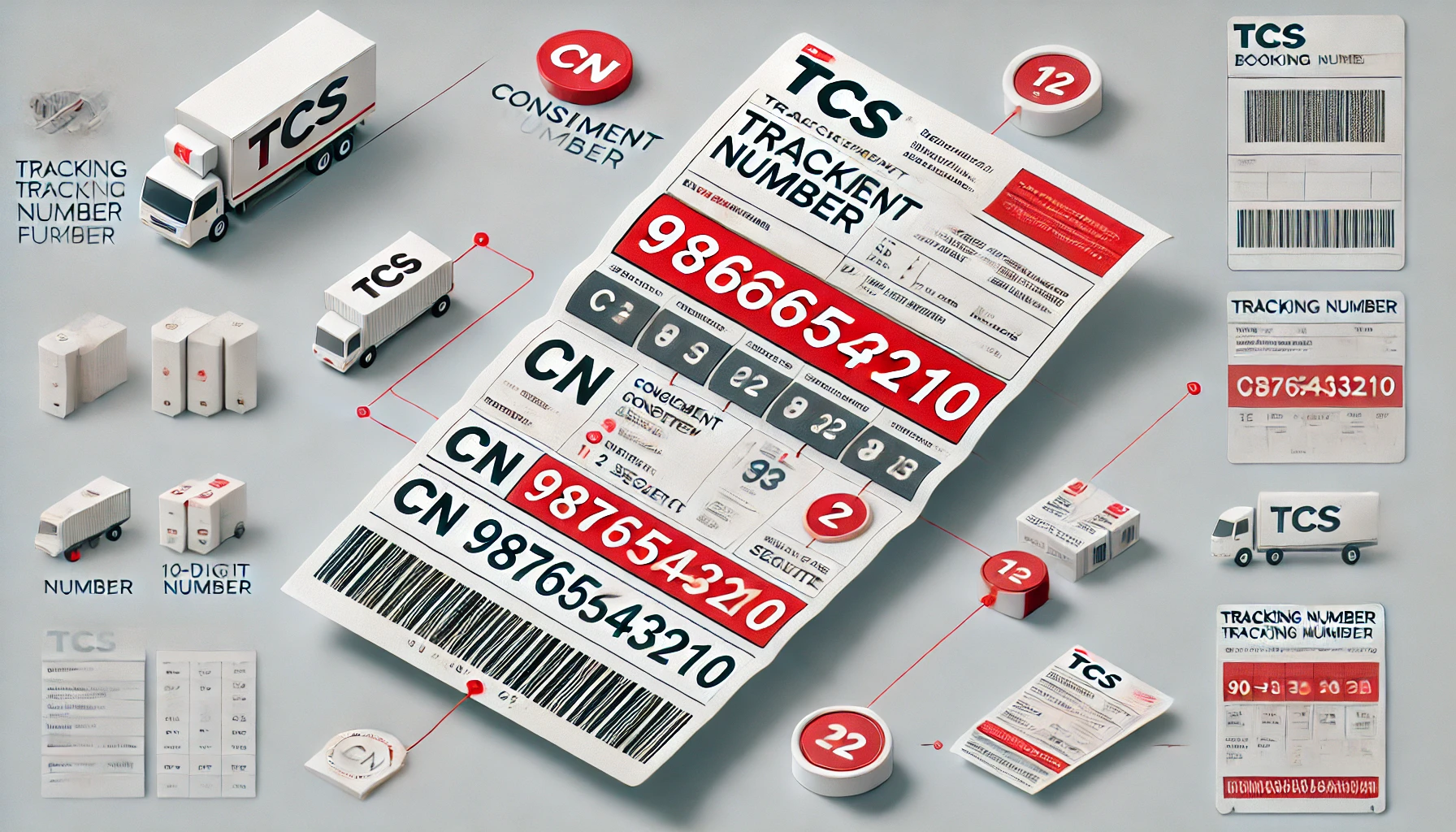
What is TCS Tracking Number?
A TCS tracking number is a unique code assigned to your parcel at booking time that lets you track its location from pickup to delivery across Pakistan. Also called a CN number, tracking ID, or consignment number, this code is your parcel’s digital identity throughout the shipping process.
What the Tracking Number Does:
Identifies your parcel uniquely — No two parcels share the same tracking number
Links physical package to digital record — Every scan updates your tracking status online
Appears on your receipt — Printed at the top of your booking slip immediately after payment
Sent via SMS — You receive it on your mobile for online or phone bookings
Required for all tracking methods — Website, app, SMS, and helpline queries all need this number
Why It Matters:
Without this number, you cannot track your parcel — No status updates, no delivery confirmation
TCS scans it at every checkpoint — Pickup, hub sorting, transit, delivery
Proof of shipment — Acts as your reference for complaints or lost parcel claims
Track your parcel now using the TCS tracking Pakistan portal or learn how to track step-by-step.
TCS Tracking Number Format Explained
TCS tracking numbers follow a standardized structure of 10-12 consecutive digits in purely numeric format, making them easily recognizable across Pakistan’s courier network and compatible with all tracking systems. Understanding this format helps you identify valid tracking codes, avoid entry errors, and quickly spot fake or incorrect numbers on receipts or SMS messages.
CN Number Structure:
The standard TCS tracking number consists of 10-12 digits generated sequentially by TCS’s booking system when your parcel is registered. Some tracking numbers include the “CN” prefix (Consignment Number designation), appearing as CN1234567890, particularly for corporate accounts, e-commerce partnerships, or specific service categories like COD bulk shipments.
Standard vs Extended Format:
10-digit format: Most common for individual retail customers booking at branches
12-digit format: Used for high-volume corporate accounts and automated system bookings
With CN prefix: Corporate, e-commerce, and registered business accounts
Without CN prefix: Walk-in customers and standard bookings
All formats function identically in the TCS tracking system—whether your number is 10 digits, 12 digits, or includes the CN prefix, it will return the same tracking results when entered correctly.
TCS Tracking ID vs Tracking Number vs CN Number
Here’s the truth: they’re all the same thing. TCS tracking number, tracking ID, CN number, consignment number, and slip number are different terms for the identical 10-12 digit code printed on your receipt—the confusion exists only because TCS uses multiple names across different platforms, but they all refer to your parcel’s unique identifier. Whether a website asks for “tracking number,” customer support mentions “CN number,” or your receipt shows “tracking ID,” you enter the same code every time.
| Term You'll Hear | What It Means | Where You See It | Same Code? |
|---|---|---|---|
| TCS Tracking Number | The main number TCS gives your parcel so you can track it | Receipt, website, tracking pages | Yes |
| TCS Tracking ID | Another name for the same tracking number | Online guides, tracking forms, apps | Yes |
| CN Number | Short for "Consignment Number"—the official TCS term | Booking slip, shipment documents | Yes |
| Consignment Number | The formal name in TCS internal systems | Agreements, logistics records | Yes |
| Slip Number | Casual term people use for the number on the receipt | Informal customer conversations | Yes |
Why Multiple Names Exist
TCS uses different terminology across platforms for historical and technical reasons—”CN number” is the internal logistics term, “tracking number” is customer-facing language on the website, and “tracking ID” appears in mobile apps and third-party integrations. This creates confusion when new users see different labels and assume they need separate codes, but the reality is simpler: one parcel = one code = works everywhere.
What to Do When Asked
When you need to track your parcel or contact TCS support, use these simple rules:
Website says “Enter Tracking Number” → Use your CN number
App asks for “Tracking ID” → Use the same CN number
Customer service asks for “Consignment Number” → Use the same CN number
Third-party site wants “Slip Number” → Still the same CN number
All tracking methods documented in our complete TCS tracking guide accept any of these terms because they reference the same database field in TCS’s system.
Where to Find Your TCS Tracking Number
Your TCS tracking number appears in multiple places depending on how you booked the shipment, and knowing exactly where to look saves time when you need to track your parcel or contact customer support.
On Booking Receipt
The tracking number appears near the top of your printed receipt, usually labeled as “CN”, “CN Number”, or “Tracking No.” alongside booking date and payment amount.
What to look for:
Label: “CN”, “CN Number”, “Tracking Number”
Location: Top section, first or second line
Format: 10-12 continuous digits (e.g., 9876543210 or CN9876543210)
Appearance: Bold or larger font
In SMS Notifications
If you provided a mobile number at booking, TCS automatically sends an SMS from shortcode 8225 containing your CN number within 5-30 minutes.
SMS format:
Sender: 8225 (official TCS)
Message: “Your CN: 1234567890”
Includes clickable tracking link
Check spam if not received
In Email Confirmations
For online bookings, the tracking number appears in confirmation emails from the store or TCS, often in the subject line or body text labeled “Tracking Number” or “CN Number.”
Email locations:
Subject line: “Order #12345 – CN: 9876543210”
Body: “Track your parcel: CN9876543210”
Tracking button linking to TCS tracking page
On E-commerce Order Pages
When ordering from Pakistani online stores using TCS, log into your account, go to “My Orders,” click your order, and find the CN number under “Shipment Details” or “Tracking Information.”
TCS Tracking Number Format Rules
Entering your TCS tracking number incorrectly is the #1 reason why tracking queries fail, so understanding the basic format rules prevents frustrating “no results found” errors and ensures accurate shipment status on your first try. Follow these simple do’s and don’ts when typing your CN number into any tracking system—TCS website, mobile app, SMS, or third-party tools—to get instant results every time.
Common Formatting Mistakes
❌ Adding spaces between digits → 9876 543 210 (WRONG)
✓ Enter as continuous string → 9876543210 (CORRECT)
❌ Including dashes or hyphens → 9876-5432-10 (WRONG)
✓ No separators needed → 9876543210 (CORRECT)
❌ Typing extra characters → CN-9876543210 or CN_9876543210 (WRONG)
✓ CN prefix without symbols → CN9876543210 (CORRECT)
❌ Missing or swapping digits → 987654321 (one digit missing) (WRONG)
✓ Check all 10-12 digits match receipt → 9876543210 (CORRECT)
❌ Lowercase or uppercase confusion → cn9876543210 (WRONG on some systems)
✓ Case doesn’t matter for CN prefix → CN9876543210 or cn9876543210 (BOTH WORK)
How to Enter Correctly
Copy-paste when possible: If viewing your tracking number digitally (SMS, email), highlight and copy the entire code, then paste it into the TCS tracking portal to avoid typos.
Double-check digit count: Valid TCS tracking numbers have 10-12 digits—if yours is 9 or 13+ digits, recheck your receipt or SMS for the correct code.
Prefix is optional: Both 9876543210 and CN9876543210 work identically—enter whichever format appears on your receipt.
No special characters: Never add commas, periods, brackets, or any punctuation marks within the tracking number.
Different Types of TCS Tracking Numbers
All TCS tracking numbers follow the same 10-12 digit format, but the service type you choose—domestic, international, COD, or RedBox—doesn’t change how the tracking number looks or works in the tracking system. Whether you’re shipping a document overnight in Karachi or sending a parcel internationally through TCS’s global network, your CN number structure remains identical and tracks the same way on the TCS tracking portal.
Domestic vs International Tracking Numbers
Domestic shipments (within Pakistan) and international shipments (to 220+ countries) both receive standard 10-12 digit CN numbers at booking time. The only difference is that international tracking may show additional customs clearance statuses and partner courier updates (DHL, FedEx, UPS) once the parcel leaves Pakistan, but the original TCS CN number continues to work for end-to-end tracking.
COD & RedBox Services
Cash on Delivery (COD) parcels and RedBox economy service shipments use the exact same tracking number format as standard TCS shipments—there’s no special code or prefix to identify them. Your 10-12 digit CN number appears on the receipt regardless of payment method or service tier, and tracking works identically across all TCS service categories including Overnight, Same Day, Economy, and RedBox.
TCS Tracking Number Not Working? Common Issues
The most frustrating moment after booking is entering your TCS tracking number and seeing “no record found” or “invalid CN”, but 90% of tracking failures happen because of simple mistakes that take seconds to fix. Before panicking about lost parcels or system errors, check these four common reasons why your tracking number isn’t showing results and follow the quick fixes to get your shipment status instantly.
Typing Errors
The #1 reason tracking fails: entering the wrong digits, adding spaces, or swapping numbers. Double-check every digit against your receipt—one wrong number turns 9876543210 into a completely different (non-existent) tracking code.
Quick fix: Copy-paste the number from your SMS or email instead of typing manually, or carefully re-enter while comparing to your physical receipt digit-by-digit.
New Booking (Not Yet Scanned)
If you booked your parcel in the last 2-4 hours, TCS’s system may not have registered it yet—branch staff manually scan parcels during sorting, causing temporary delays before tracking becomes active online.
Quick fix: Wait 4-6 hours after booking, then try tracking again; if still no results after 24 hours, contact the TCS helpline at 021-111-123-456.
System Delay
During peak seasons (Eid, Black Friday, year-end sales), TCS’s tracking system refreshes slower than normal, causing status updates to lag by 12-24 hours even for active shipments.
Quick fix: Clear your browser cache, try the TCS mobile app, or send your CN via SMS to TCS shortcode 8225 for alternative tracking.
Wrong Courier Service
If you accidentally entered your TCS tracking number on Leopards, M&P, or another courier’s tracking page, it will always show “invalid” since each company has separate databases.
Quick fix: Always use the official TCS tracking Pakistan portal or TCS parcel tracking guide to ensure you’re on the correct platform.
How to Use Your TCS Tracking Number
Once you have your TCS tracking number, using it to monitor your parcel is simple and works across multiple platforms—TCS website, mobile app, SMS, and helpline all accept the same CN number to display real-time shipment status from booking through final delivery. The complete step-by-step tracking guide covers all methods in detail with screenshots, but here’s a quick overview of your options:
- Website tracking: Visit the TCS tracking Pakistan portal, enter your 10-12 digit CN number in the tracking box, and click Track to see live updates like Booked, In Transit, Out for Delivery, or Delivered with dates and locations.
- Mobile app: Download the TCS Express app from Google Play or iOS App Store, paste your tracking number, and view real-time status with push notifications for delivery updates.
- SMS tracking: Send your CN number via text to TCS shortcode 8225 to receive instant status replies without internet access—ideal for rural areas or when traveling.
- Helpline support: Call the TCS helpline at 021-111-123-456 and provide your tracking number to customer service agents for verbal status updates and delivery inquiries.
For detailed instructions with visual guides, screenshots of each tracking method, and troubleshooting tips, read the full how to track TCS parcel tutorial.
Lost Your TCS Tracking Number? Recovery Methods
Losing your receipt doesn’t mean you’ve lost tracking access—TCS provides multiple recovery options using your mobile number or booking details.
Check SMS inbox: Search for messages from shortcode 8225 containing your CN number sent within 5-30 minutes of booking.
Search email: Look for order confirmations from e-commerce sites or TCS with tracking numbers in subject/body.
Call helpline: Contact TCS customer service at 021-111-123-456 with your mobile number, booking date, and sender/receiver names to retrieve your CN.
Visit booking branch: Return to your nearest TCS office with ID or receipt stub for staff to look up your number.
Benefits of Understanding TCS Tracking Number Format
Knowing how TCS tracking numbers work gives you confidence when shipping parcels and prevents common mistakes that waste time. Understanding the 10-12 digit format helps you spot fake tracking codes immediately—scammers sometimes send made-up numbers with wrong digit counts or invalid characters that you’ll recognize as fraudulent before clicking suspicious links.
Format knowledge speeds up customer support calls—when you tell the TCS helpline “my number has 13 digits, is that wrong?” they can instantly confirm receipt errors versus system issues, saving 5-10 minutes of troubleshooting. It also lets you double-check receipts at booking time before leaving the branch, catching digit mistakes or printing errors when staff can immediately reprint corrected slips rather than discovering problems hours later when tracking fails.
frequently asked questions
How many digits is a TCS tracking number?
Is TCS CN number same as tracking ID?
Yes, CN number, tracking ID, tracking number, and consignment number are all different names for the identical code printed on your TCS receipt. Whether a website asks for "tracking number" or "CN number," you enter the same 10-12 digit code every time—see the complete TCS tracking guide for step-by-step instructions.
What does CN stand for in TCS?
CN stands for "Consignment Number", the official TCS term for your parcel's unique identifier in their logistics system. You'll see "CN" printed on booking receipts, shipment documents, and tracking pages, but it means the same thing as "tracking number."
Can TCS tracking number have letters?
Standard domestic TCS tracking numbers are purely numeric (0-9 only) with no letters, containing 10-12 digits like 9876543210. International shipments may include letters after customs processing when partner couriers (DHL, FedEx) add their own codes, but your original TCS CN number remains numeric.
Where is CN number printed on TCS receipt?
The TCS tracking number appears near the top of your booking receipt, usually labeled as "CN", "CN Number", or "Tracking No." in bold text alongside booking date and destination address. If you lost your receipt, check SMS from shortcode 8225, search email confirmations, or call the TCS helpline at 021-111-123-456 to recover your number.
Conclusion
Understanding your TCS tracking number format—the 10-12 digit CN code on your receipt—empowers you to track parcels confidently, avoid common entry errors, and spot fake tracking codes before they cause problems. Whether your number includes the CN prefix or not, knowing where to find it (receipt, SMS, email) and how to enter it correctly (no spaces, no dashes) ensures successful tracking on your first attempt without frustrating “no results found” errors.
Now that you know the format, put it to use: track your parcel via the TCS tracking Pakistan portal, learn the step-by-step tracking process, or calculate shipping costs with the TCS rate calculator before your next booking.